Takeaway
Clear orders, a calm kitchen
At the counter or on the phone, an order is taken in seconds, the ticket goes to the kitchen and you always know what’s ready.
- Takeaway or delivery
- Pay when ordering or on pickup
How it works
Four steps, no lost slips of paper
- 1
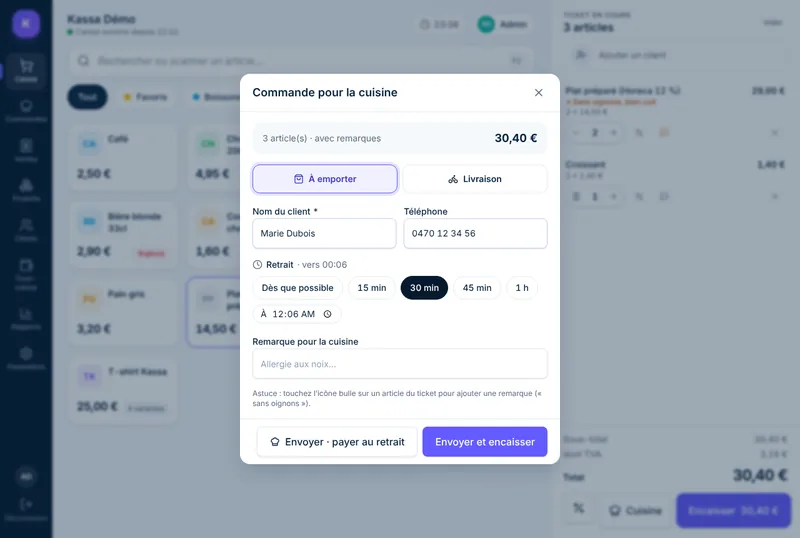
Take the order
Add items just like a sale, with a note per item if needed: “no onions”, “well done”.
- 2
Send it to the kitchen
Name, phone, pickup time (as soon as possible, 15 min, 30 min…) and the kitchen ticket prints.
- 3
Track preparation
The Orders page sorts everything into columns: in preparation, ready, completed. One tap to mark it ready.
- 4
Take payment on pickup
The customer pays when collecting, or already paid when ordering. It all ends up in the same reports.
Kitchen ticket
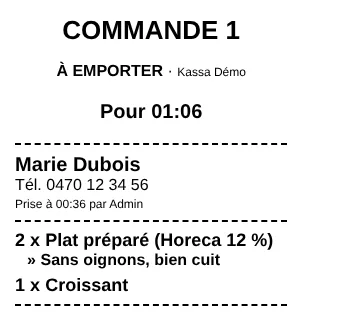
A readable ticket, printed in the right place
Big order number, pickup time, customer name and phone, items and notes that stand out. It prints at the counter or on a dedicated kitchen printer.
Tracking
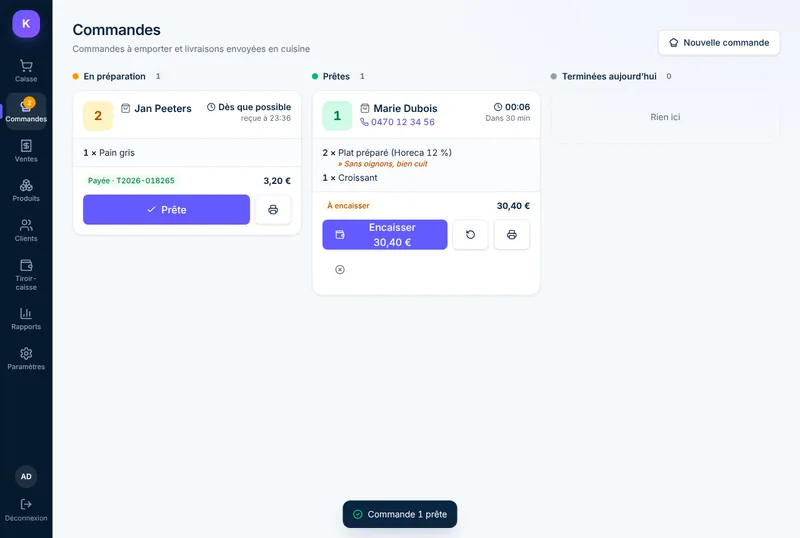
Every order in its place
The menu badge shows how many orders are open, the page refreshes by itself and the customer’s number is one tap away.
- Paid or to-be-paid status clearly visible
- Reprint the ticket in one tap
- Today’s orders archived automatically
Mobile
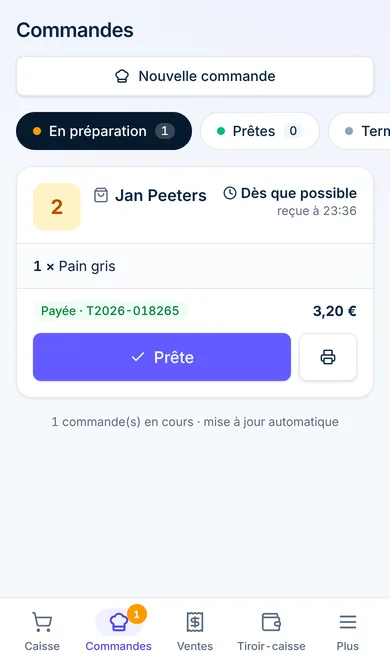
On the driver’s or the owner’s phone
The Orders page also works on smartphones: ideal for keeping an eye on the kitchen from the counter or preparing deliveries.
For takeaway and delivery only
The Orders module is designed for takeaway and delivery. If customers eat on the premises and those meals exceed €25,000 excl. VAT a year, a certified cash register system (SCE/GKS) is mandatory: check with your accountant.
Tills and Belgian lawSee Kassavera running with your own products
Send us your product list (Excel, or a photo of your price labels) and we’ll prepare a 20-minute demo, in your shop or by video call.